Recently Purchased Items
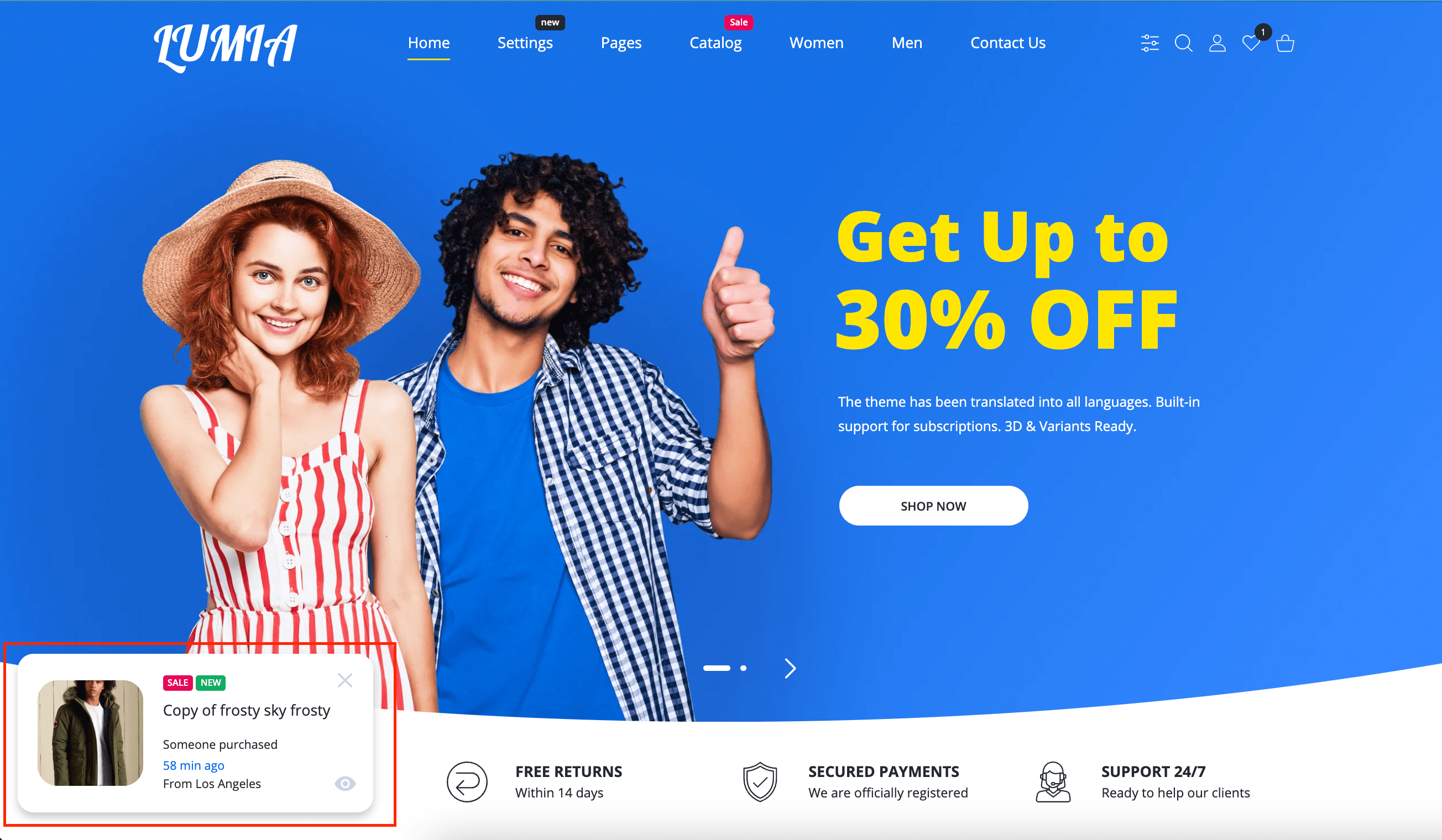
Quite a popular sales accelerator. The principle of its operation is the periodic emergence of a mini-card of a newly sold product.
Enabled by default: Yes
Visibility: Everywhere
Steps to enable / disable
- From your Shopify admin, go to Online Store > Themes.
- Find the Lumia theme that you want to edit, and then click Customize.
- Click Products promotion to view its settings.
- Check / uncheck the Enable checkbox.
- Click Save.
Add / change products
- From your Shopify admin, go to Online Store > Themes.
- Find the Lumia theme that you want to edit, and then click Customize.
- Click Products promotion to view its settings.
- Click the Select products or Change products in Collection field.
- Click Save.
Admin interface
| Option Name | Type | Values | Default | Description |
|---|---|---|---|---|
| Enable | Checkbox | • True • False | True | Enable / Disable recently purchased products |
| Collection | Collection | Products list | Empty | Multiple select products from the store |
| Don't show popup after close | Checkbox | • True • False | False | Hides popups after clicking on the mini popup close button |
| Days expired (cookie) if closed | Range | 0-30 | 0 | Will be hidden selected count of days after clicking on the mini popup close button if Don't show popup after close is checked |
| Cities | Textarea | Aberdeen, Abilene, Akron, Albany, Albuquerque, Alexandria, Allentown, Amarillo, Anaheim, Anchorage, Ann Arbor, Antioch, Apple Valley, Appleton, Arlington... | Available random cities for title Someone purchased in the city | |
| Delay | Range | 5-30 | 14 | Delay before first appearance |
| Time between appearances of purchased products | Range | 5-20 | 15 | Delay that you do not see popups after the first popup has been hidden |
| Visibility Time of purchased product | Range | 5-20 | 12 | Time that you see current popup |